


Lingtutor: AI English
4.42.00 Reviews
App Specs
- Version
- 0.3.4
- Updated On
- License
- Free
- Downloads
- 10,000+
- Developer
- MTD TECHNOLOGY COMPANY LIMITED
- Categories
- Education
- Platform
- Android
Screenshots
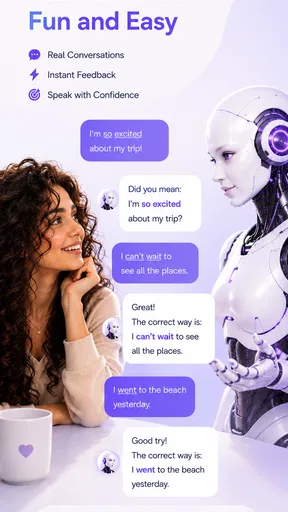
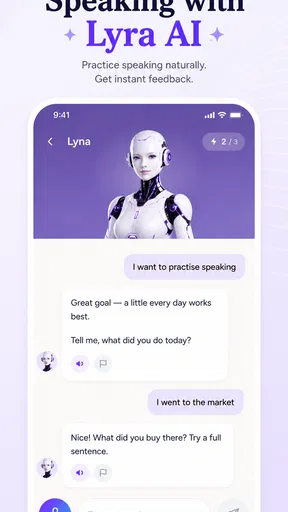
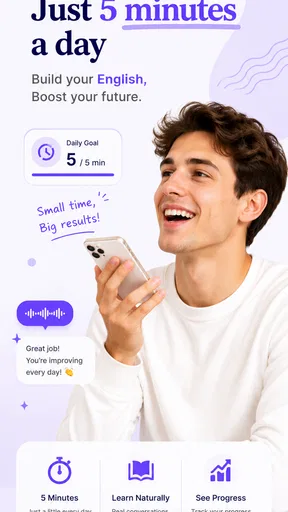
 Analysis by AppCompare
One useful way to test whether Lingtutor: AI suits you is to give each activity a different job. Use a story for reading flow, conversation for producing sentences, and vocabulary practice for words you actually want to reuse. If you approach all three as interchangeable study time, it can be harder to tell which part is helping and whether the mix earns a place in your routine.
A simple way to assess progress without turning practice into a test
I would keep a small note outside the app with a few expressions I struggled to use, then revisit them in a later conversation. This gives you a personal measure of whether words are moving from recognition to active use, without relying on a score or a streak. It also helps you notice a practical result: whether you can explain a familiar idea with less hesitation than before.
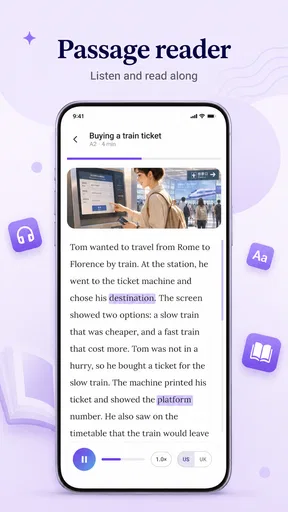
For stories, a useful rule is to read once for meaning before stopping for vocabulary. On a second pass, choose only a couple of words that seem likely to come up in your life. Looking up every unfamiliar item can interrupt the story and make a short session feel like homework; selective attention keeps reading enjoyable while still giving you something concrete to practise.
I judge an English-learning app less by how many lessons it promises than by whether it gives me a reason to practise when I have only a few spare minutes. Lingtutor: AI aims at that small, repeatable habit: use AI conversation, read short stories, and work on vocabulary. That combination makes it more focused than a broad course app, but it also means its value depends on whether you actually want those activities rather than a structured, teacher-led curriculum.
Lingtutor: AI is an education app from MTD TECHNOLOGY COMPANY LIMITED. Its central idea is practical: bring speaking and reading into one place, with vocabulary building tied to the learning experience. I see the strongest case for it in learners who understand some English already but need regular, low-pressure practice using it. It is less obviously suited to someone starting from the alphabet or looking for a complete grammar course.
What the free starting point is worth
I’d use the free starting point to find out which kind of practice I’ll genuinely return to, rather than assuming the whole mix suits me. A short story can reveal whether reading feels inviting, while a later conversation can show whether I’m ready to put new language to work. Once that routine feels useful, the next question is what value the activities deliver together.
A useful distinction between free access and paid value
The app is free to download, while in-app purchases are listed at $12.99–$36.99 per item. That gives a prospective learner a straightforward starting point: try the app before deciding whether any paid option is worth considering. I would treat the free entry as a chance to assess the learning style, not as proof that every part of the experience is free.
Worth Reading Before You Choose

EA SPORTS FC Mobile 26 Is a Bigger Football Game, but It Takes Time

Flipboard Shows What News Apps Must Do Beyond the Feed

Switching to Android Auto Means Rethinking Your Driving Routine

Google Calendar Makes a Crowded Week Easier to Manage

Ludo King Makes the Most of the Minutes Between Plans

Baby Panda World Brings Quick Play to Modern Phones, but Its Game Library Feels Busy
The purchase range is broad enough that I would check the specific item and what it includes before paying. The listed prices do not, by themselves, establish how long access lasts or which learning materials are included. For a careful buyer, the practical move is to use the free access first, identify what feels genuinely useful, then compare that need with the details shown at purchase.
That is a more meaningful way to think about value than comparing the app’s cost with a full language course. If I only want an occasional speaking prompt or a short reading session, even a modest purchase may not make sense. If the app becomes part of a steady routine and its paid content directly supports a goal I care about, the decision looks different.
What its learning mix can do well
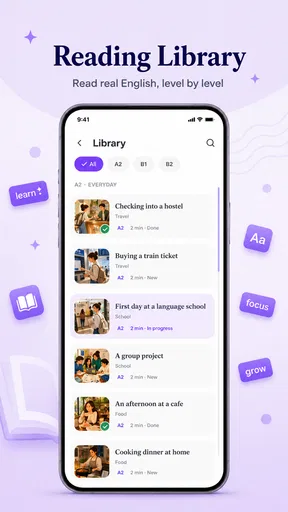
The three-part approach has a sensible rhythm. AI conversation gives a learner a place to formulate answers, short stories offer reading practice in manageable portions, and vocabulary work can help turn unfamiliar words into something worth remembering. Rather than opening a long lesson and waiting for a free hour, I can imagine using a brief session to keep English present in an ordinary day.
The particularly useful trade-off is that these activities can reinforce one another without requiring a classroom setting. A word met while reading may become easier to recognize in conversation; a speaking attempt may reveal that a familiar-looking word is not yet easy to use. That is a productive learning loop to look for, even though the app’s basic feature description alone does not tell me how deeply those parts are connected.
For best results, I would avoid treating the app as background entertainment. After a story, I would choose a small handful of unfamiliar words and try to use them in a spoken answer. After a conversation, I would note one phrase I hesitated over and look for a chance to use it again. This deliberate follow-through turns short sessions into practice rather than simple exposure.
Where it fits among common alternatives
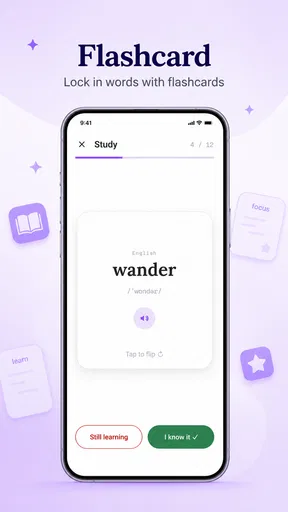
Compared with flashcard-first apps, Lingtutor: AI has a more active emphasis: it is built around speaking and reading as well as vocabulary, rather than making memorization the whole experience. That is appealing if recalling isolated translations is not your main problem. If your goal is to drill a large word list with a highly controlled review schedule, a dedicated flashcard tool may still be the better fit.
It also differs from a conventional course that walks learners through a sequenced syllabus. An AI conversation can feel less formal and easier to approach on a busy day, but it should not automatically be mistaken for a comprehensive lesson plan. Learners who want explicit grammar explanations, a clear progression from beginner to advanced, or regular feedback from a human teacher may prefer a course or tutor that is designed around those needs.
Its short-story angle gives it another point of difference from apps focused only on speaking. Reading can be a gentler way to encounter English when speaking aloud feels tiring or intimidating. Still, a learner who needs intensive pronunciation correction or live interaction should not expect reading practice to replace those forms of instruction.
Trade-offs to keep in mind
AI conversation is most valuable when the learner is willing to speak or write complete thoughts, not just tap through prompts. Some people find that low-pressure format freeing; others learn better when a teacher notices recurring mistakes and explains exactly why a sentence sounds unnatural. I would use the app to build comfort and repetition, while turning to human instruction when a persistent error needs a careful explanation.
Short stories also have a limit: a manageable reading session is not the same as sustained reading of books, articles, or work documents. They can help make English feel less abstract, but learners preparing for academic study or professional writing will need material that matches those demands. A good approach is to use the app for a daily foothold and add authentic reading once the habit is established.
Another trade-off is focus. Speaking, stories, and vocabulary are a compact combination, but they may not cover every reason someone studies English. If your immediate goal is exam preparation, formal writing, pronunciation coaching, or grammar from the ground up, choose a resource built specifically around that target. Lingtutor is more convincing as a practice companion than as a single solution for every level and objective.
Everyday routines that make it more useful
A realistic use case is the commute or a quiet break between tasks. I would read one short story when I have a few minutes, then pick one useful expression to remember. Later, when I have privacy, I would try to use that expression in an AI conversation. Keeping reading and speaking in separate moments makes the routine easier to fit around a day without pretending that every practice session needs to be long.
For a nervous speaker, I would start with a simple personal topic—what I did that morning, what I plan to cook, or how my weekend went. Familiar subjects reduce the effort spent inventing ideas, leaving more attention for English. If an answer feels difficult, I would keep it short and try again with a slightly fuller sentence rather than abandoning the session or chasing a perfect response.
A more advanced learner can use the same activities differently. Instead of collecting easy words, I would watch for phrases that make my speech sound more natural, then test them in another conversation. In reading, I would resist looking up every unknown word; choosing only the words that block meaning or seem reusable keeps the story moving. These small choices help prevent practice from turning into an exhausting vocabulary hunt.
Who is likely to get the most from it?
I would recommend trying it to an independent learner who already has some English and wants a convenient nudge to speak and read more often. It may also suit someone who knows plenty of words passively but needs practice retrieving them in a sentence. The combination is most attractive when consistency is a bigger obstacle than access to study material.
It is less compelling for a complete beginner who needs careful explanations at every step, or for a learner who depends on a fixed curriculum and visible milestones to stay motivated. It may also be the wrong choice if you specifically need a human conversation partner, detailed correction, or exam-focused preparation. In those cases, I would choose a tutor, a structured course, or a specialist study tool and use Lingtutor only as an extra practice option.
The app is rated for Everyone, so its age classification is broad; that should not be confused with a promise that every learner will find the content or teaching style appropriate. Parents choosing an educational app should still consider whether its approach suits the child and review any purchase choice together.
How I would decide before paying
I would give the free app a fair trial by testing all three kinds of practice rather than judging it from one conversation. Notice whether the speaking activity makes you produce useful sentences, whether the stories hold your attention, and whether vocabulary practice helps you recall words later. If one part is the only one you return to, that is useful evidence about what you need—and whether this particular mix is worth paying for.
There is modest public feedback to weigh alongside your own experience: the app has a 4.4 average from 29 ratings, with 2 written reviews, and has reached over 10K installs. Those figures suggest that people have tried it, but the written-review count is small, so I would not use the rating as a substitute for checking whether its learning style works for me.
The current version is 0.3.4, and the stated minimum operating-system requirement is 7.0. I would check that my device meets the requirement before installing. The app was released on Jul 25, 2026; that makes it especially sensible to assess it on its current merits and avoid assuming it already has the depth or long-established track record of older language-learning services.
My buy-or-skip verdict
I would start with Lingtutor: AI if I wanted a free way to make English practice feel more conversational and less like another stack of flashcards. Its blend of AI speaking, short reading, and vocabulary gives it a clear purpose, and the easiest way to judge that purpose is to build a small routine around it before spending anything.
I would skip a purchase if I needed a complete course, expert correction, or a tightly defined exam plan. I would also avoid paying simply because a price appears next to an item; first decide which activity you will use and check what the purchase actually provides. For a learner who wants flexible practice and will use it regularly, it is worth exploring. For someone who needs instruction with more structure or accountability, a different resource is likely a better investment.
My bottom line is that Lingtutor: AI makes the most sense as a practical practice partner, not a promise to replace every other way of learning. Start free, connect a story to a speaking attempt, and pay only if the experience solves a real gap in your routine.
Pros
- AI conversations let you practice English without needing a speaking partner.
- Personalized feedback can help identify areas to improve.
- A flexible format makes it easy to fit short practice sessions into your day.
- Useful for building confidence before speaking English in real situations.
- Can supplement lessons with additional conversation practice.
Cons
- AI feedback may occasionally miss context or give imperfect corrections.
- A stable internet connection may be needed for conversation features.
- It cannot fully reproduce the nuance of talking with a human speaker.
- Some features or learning content may require a paid subscription.
- Speech recognition can be less reliable with accents or background noise.
FAQs for Lingtutor: AI English
What is Lingtutor: AI English, and who is it for?
Lingtutor: AI English is an English-learning app centered on practicing with AI. It may suit learners who want a convenient way to work on conversation and build confidence outside a classroom, including people who prefer short sessions on their phone. The experience and available learning tools can vary by app version and subscription, so check the current store listing to confirm that its features match your level and goals.
Can I use Lingtutor to practice English conversation?
Conversation practice is a key reason to consider an AI English tutor: you can interact with an AI rather than arrange a lesson with another person, making practice easier to fit into your day. AI responses can help you keep a dialogue going, but they are not a substitute for every kind of real-world conversation. Try a few sessions to see whether the interaction, feedback, and speaking tools work well for your needs.
Is Lingtutor: AI English free to download and use?
The app may be available to download at no initial cost, but some lessons, usage limits, or other features may require a subscription or in-app purchase. Pricing, free-trial terms, and included features can change, so review the current details in the Google Play Store or Apple App Store before signing up. If a trial is offered, check when it renews and how to cancel it to avoid an unexpected charge.
Does Lingtutor: AI English work for beginners and advanced learners?
It may be useful across a range of levels, but suitability depends on the app’s current lesson options, feedback, and ability to match practice to your proficiency. Beginners may want clear explanations and patient, basic dialogues, while advanced learners often benefit from challenging topics and detailed corrections. Explore any level-setting or placement options first, and assess whether the app’s responses are understandable and appropriately challenging for you.
Do I need an internet connection, and what should I check about privacy?
AI-powered conversations generally rely on an internet connection, so expect to need data or Wi-Fi for at least some features; offline availability should be confirmed in the current app listing. Because practice may involve voice or text input, read the app’s privacy policy and store disclosures to understand what information is collected and how it is handled. Also check microphone permissions and grant access only when you want to use speaking features.


